Remote Mouse Pro
Remote Mouse Pro Appanmeldelser
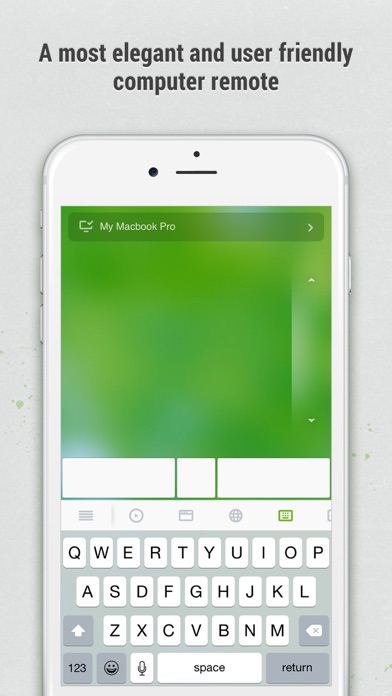
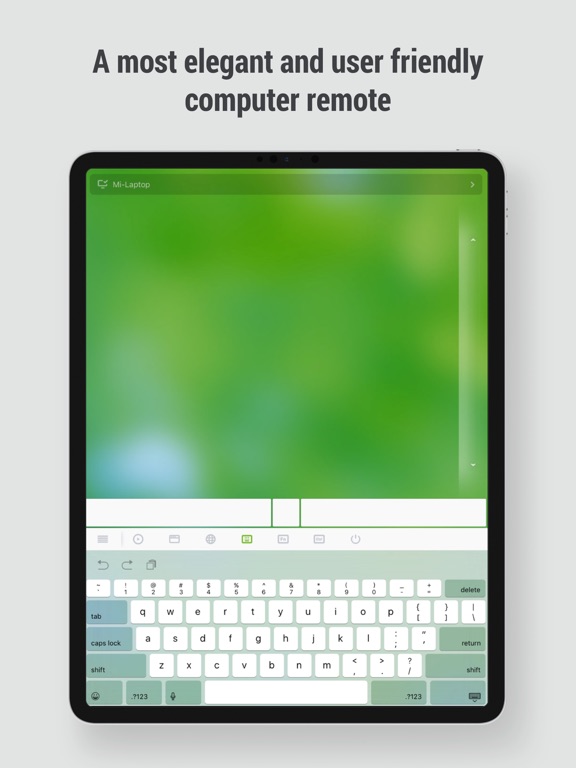
Hva er Remote Mouse Pro-appen? Remote Mouse™ transforms your mobile phone or tablet into an easy-to-use remote control for your computer, complete with a cross-device clipboard that enables seamless text and image transfer across platforms. It mimics the functions of a wireless mouse, keyboard, and touchpad, and also offers various specialized control panels that enhance your control over specific operations. The small features, designed for one-handed use or intuitive operations, will delight you.
Featured on CNET, Mashable, and Product Hunt, Remote Mouse is recognized as one of the most sophisticated and user-friendly computer remote apps. With over 20 million users worldwide, it's a trusted choice for effortless computer control.
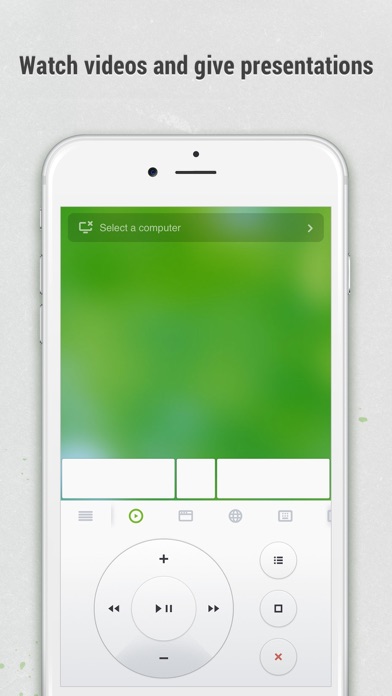
Whether you're watching a movie online, giving a presentation, or shutting down your computer with one click, nothing can be more convenient than having a mobile phone remote at your fingertips.
Mouse
• Fully simulated mouse function
• Gyro mouse is a feature that allows you to move the mouse cursor with a gyro sensor
• Left-handed mode
Keyboard
• Integrated with system and third-party keyboards, supports typing in various languages
• Remotely typing by voice if the soft keyboard supports speech recognition
• Supports sending various shortcuts
• Displays different keypads for Mac or PC
Touchpad
• Simulates the Apple Magic Trackpad and supports multi-touch gestures
Specialty Control Panels
• Media Remote: Control videos, music, and presentations across apps and sites like YouTube, Netflix, Disney+, Apple TV+, VLC, Spotify, and more, automatically adapting to what’s playing.
• Web Remote: Supports Chrome, Firefox, and Opera
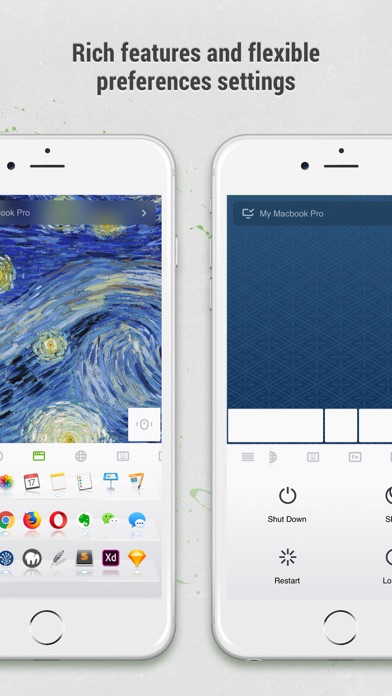
• Application Switcher: quickly launch and switch between programs
• Power Options: Supports remotely shutting down, sleeping, restarting, and logging off
• Cross-device Clipboard: Allows for the transfer of text and images between your computer and mobile device
Other Features
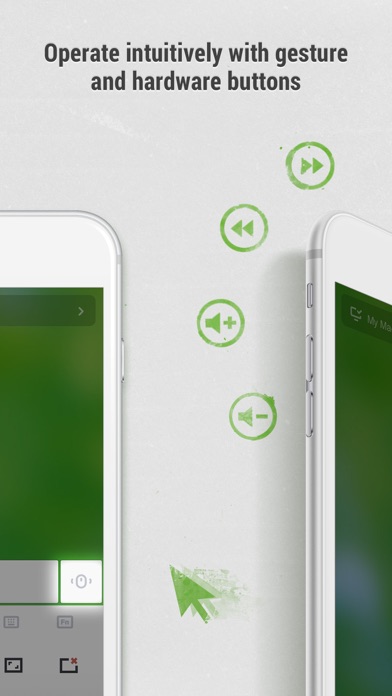
• Use the physical volume buttons on the mobile device for remote control
• Set a password for the connection
• Customizable wallpaper
Connection Method
• Connect via IP address or QR code
• Connect via history
Operating Environment
• Compatible with Windows, Mac OSX, and Linux
• Works under Wi-Fi or Bluetooth
To Get Started
1. Visit https://www.remotemouse.net on your computer and download the Remote Mouse computer server software.
2. Install and run the computer server software.
3. Connect your mobile device to the same Wi-Fi network or use Bluetooth to pair with your computer.

Remote Mouse Pro Kommentarer 2026
| Appens Navn | Remote Mouse Pro |
| Kategori | Verktøy |
| Utvikler | 耀 阮 |
| Publisert | 20 July 2010, Tuesday |
| Oppdatert | 28 April 2026, Tuesday |
| Filstørrelse | 79.51 MB |
Works... Kinda.. I experience different results in different apps when using this app. In some apps the scrolling, two-finger tap, zoom etc works as expected, but then again, in other apps I'm forced to show the mouse buttons in the UI and in other apps things like tap->hold->drag to change parameters in applications like DAWs running on the mac just doesn't work like a regular touchpad at all. Also, I'm constantly reminded to update to the latest version, even though I already have the latest version available in the app store. This is annoying.
Best ever. Beste appen ever
God og nyttig app!. Selv om den kun er i bruk noen ganger, er den gull verdt å ha! Godt når man skal slappe av på sofaen, og pc'en er kobla til tv'en! Godt å slippe å stå opp for å bytte film etc. God app, og lett forståelig!! Anbefales
Awesome!!!!. Denne e super som mus. Den virke fantastisk som både touch bevegelse og mobilbevegelse!!!! Beste app noen sinne!!
Kom. Tastatur virker ikke
Perfekt:). Meget nyttig når man har pc tilkoblet tv i stua :)) slipper alle ledninger, og Mus. Telefonen har man allikevel i nærheten. Meget enkel i bruk.
WOW!. Greatest app I've downloaded this year! Works like a charm! No more irritating myself over too short hdmi-cables. Hurray!!
Helt perfekt. Jeg elsker den! Den funker helt perfekt! Anbefales!
Nesten perfekt. Det er den mest geniale appen, men det er dumt at det ikke er det norske tastaturet
Confused and irritated. Despite the title, this app is actually good. However ever since the new update (14.03.16) the app has been not working to its prime. This means that the mouse pad works, but neither the right or left mouse click, nor can you write on the keyboard(qwerty). I tried to contact the app support, as one could guess, no luck, most likely they do not care. So if anything do NOT buy the app, just download the free version and see whether it works or not. I used the free version for a while and thought I should buy it since its been good, highly regret it now. Wish I could get refund for 2.99$ :p
Dahilo👳. VERY EFFECTIVE APP! Just download and enjoy...❤️📲
Supert!!. Den er jo som en ekte PC mus. Denne bør du laste den nå! Super bra 👍👌
Nam. Potetstappe er kjempegodt!👌😋👳
Vurdering. Hvis jeg skulle gjette, ville jeg si at denne er verdt 5 av 5
Maghav. This is a solid app! The only things I wish they fix are a dark mode setting and «double tap and hold to drag» as an option to using three fingers, which feels a bit awkward.
Works when it wants to. Missing a few buttons and tricky to hide the keyboard
Doenst work!!!. Mouse ok, but keyboard doesn't work!!! I lost my money
Flott,men. Fungerer, men i det man skal installere et program så slutter dette programmet å fungere, samt æøå eller @ virker ikke..
genial. Brukt denne lenge på stue/media pc. Blir bare bedre og bedre. Nyeste er at du kan starte program du har på desktoppen via ikon. Genialt. Neste er kanskje remote til mediaplayer, vlc osv?;)
Estafa. Desde que compré la versión pro me da siempre error de conexión
Haha woooow😍😍😍. Fårr en ælsk app!! Den e jo helt genial!!!!😍😍😍ælsk ass
Genialt!. Jeg skriver egentlig aldri omtaler, men denne appen fortjente det noe sinnsykt! Fungerer helt perfekt, ble veldig overrasket når jeg først brukte den. Enkel å sette opp og enda enklere å bruke!😃 lett 5 stjerner fra meg. 🌟🌟🌟🌟🌟
Crap. Software is buggy. Crashes often. Not possible to hide keyboard in portrait mode. Slow.
Great. Very smart App for rempte controll
Ol. Brukbar
Genial. Tipp topp, tommler opp. Denne appen er fantastisk. Og fungerer. +++++
Dont work. Dont bother buying this app. Its just a waste of your money, it doesnt work! So annoying! Fix it!!
Great but.... This is a great app but it switches off and closes every time I'm tapping one of the program icons. It will open the program on my mac then close the app on my iPhone Please fix
Does not work if... Does not work if you are on a desktop computer using ethernet cable. Therfor one star, will give a new review when i can use it.
Funker som den skal. Fungerer med både pc og mac.
Dritt App. Klarer bare å koble opp mot laptop hver 90. gang....
Enkelt og lettvindt. Anbefales på det sterkeste! Perfekt til å bruke mot TV'en i huset.
Fantastisk. Vanlig mus+tastatur+mer
Trøbbel på iOS 6?. Har brukt denne med varierende stabilitet lenge nå. Men etter jeg oppdaterte til iOS 6 så fungerer den ikke hverken på iPad'n eller på min iPhone. Blir bare kastet rett ut av programmet så fort jeg prøver å logge på server på PC. Fix it!
HEJAR KING. Nice program
den funker. skjønner ikke hvorfor alle her sier den er så dårlig for den funker helt fint for meg
Fungerer smertefritt. Kjapp og lett tilkobling. Fungerer uten problemer hver gang.
Bra. Utrolig bra. Fungerer enkelt og greit. Og raskt som det skal være.
INCREDIBLE!!!. This is maybe the best app i have ever seen! Totally awesome!!
Excelent!. Best app I've downloded this year!
Remote. Good
Krasj ved tilkobling. Krasjer når en trykker på "auto connect" (iPhone 5, iOS 6.0).
Ok. Works
Remote Mouse. Brilliant app , dldl gogo, works best with mac's
Kul. Fungerer ganske bra
Funker ikke. The app does not connect to my Mac. Have been happy with this app for years! I purchased this app for some years ago, and it’s been working fine. Now it’s not connecting. Not via wifi or QR.
Very bra mus. Tastissen fynker ikke lenger.... = 4 stars
Is good. It works... it just works
Problems, but ok. The functions is fine, but as vlc is a big movie player and this is not supported in this app, the app could have been better. Also: mark more then one object not possible, alt/cmd/ctrl/shift does not work. There are room for improvements.
Connection failed. Unable to connect, even via ad hoc network directly to my MacBook Pro. Does not work at all for me.
Elendig. Har vel aldri brukt så mye penger på noe så dårlig!
Top !!!!!!!. Smart og praltisk OG it works !!!!!!!!
Sweet. Bra app, men savner egne avspilling knapp
God app. Denne appen er veldig bra, det eneste den mangler er en knapp til musikk og slikt
.. Veldig grei app! Savner imidlertid en funksjon for mediaplayer.
Good!!. Exeptional!!!
Virkelig imponerende. Digger layouten, den perfekte appen for meg. Well done!
Bra. Lett å bruke, instalere, og starte Genial ide, like a boss
Utrolig deilig. Sykt digg å bare ligge i sengen og bruke iphonen til å styre macn på tvn:) vel verdt å bruke pengene for å få stor museflate:)
Keyboard. The keyboard wont go away in portrait mode, it takes the usefulness. Går ikke an å fjerne tastaturet i portrett modus, det ødelegger opplevelsen.
Nice;). Det er en bra app!! Men savner noen funksjoner men ellers bra :)
Fabelaktig!!. Denne er helt genial. Fungerer perfekt og intuitivt. Superenkel å installere og enkel å navigere med.
STJERNENE SNAKKER!!! men.... FANTASTISK!!! Men det burde gått an å ha de samme tabbe kontrollene som på tutchpadden :)
Nesten perfekt. Denne applikasjonen er nesten perfekt. Det eneste den mangler er et lite kontrollpaner for avspilling av musikk.
Smuud. App
Genius. Fungerer mye bedre enn forventet!
Nice. Real nice
Topp.. Genial app for oss med media-pc ved tv'n.
It doesn't work. ...
Grei den. På jobben faller den ut av og til, hjemme vil den av og til bli dradd opp imot venstre hjørne. Kanskje fordi jeg har skjult startmeny oppe?
Enkel. Blir liten flate å styre musa på, ellers ok
Unbelievable good. Excellent
Genial!!!. :-)
Meget bra!. Fungerer utmerket, bortsett fra at scrilling med to fingre er treg... Innstilling?
Pretty good. :)
Great app misses some stuff. It doesnt work with norwegian letters like æøå, and i cant scroll on webpages in google chrome. I use a macbook pro and iphone 4, very satisfied.
😍 Elsker du appen Remote Mouse Pro? Del med vennene dine!


Remote Mouse Pro 5.322 Tips, Triks, Jukser og Regler
Vennligst vent! Remote Mouse Pro app kommentarer laster inn...
Remote Mouse Pro 5.322 App Skjermbilder og Bilder


Remote Mouse Pro (versjon 5.322) Installasjon og Nedlasting
| Språk | Norsk |
| Pris | 199 NOK |
| Voksenvurdering | 4+ år og eldre |
| Siste Versjon | 5.322 |
| Play Store | com.remotemouse.remoteMouse |
| Kompatibilitet | IOS 14.0 eller nyere |


