Visual PDF Editor
Visual PDF Editor Appanmeldelser
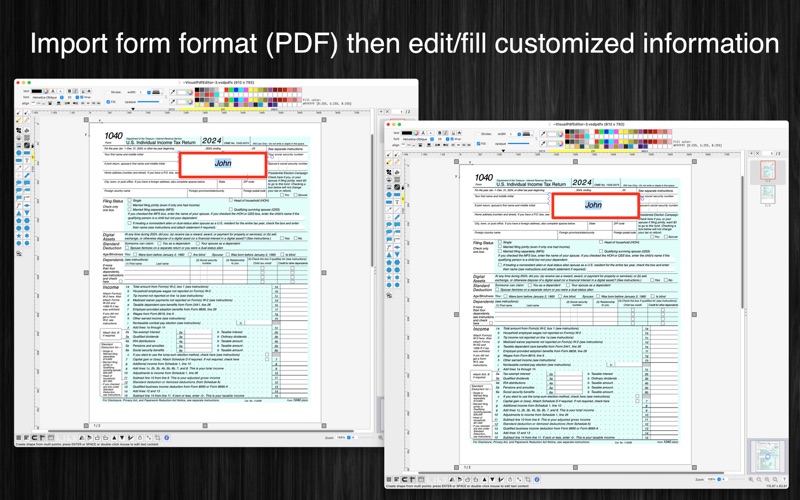
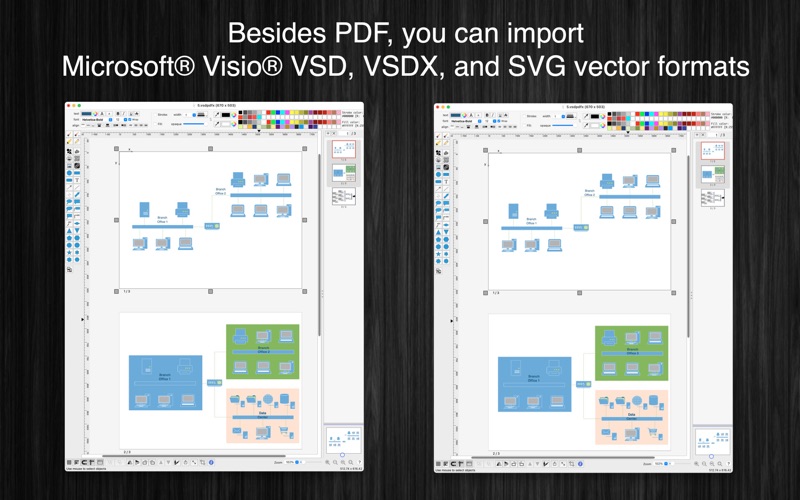
Hva er Visual PDF Editor-appen? [Visual PDF Editor] application could help you to import PDF (as well as VSD, VSDX, SVG, image files), edit then save/export to popular vector file formats like PDF, VSDX, VSD, SVG.
(* Number of objects/shapes added to each document is limited, you could upgrade to Pro-Version to remove this limitation. *)
Functions of the application:
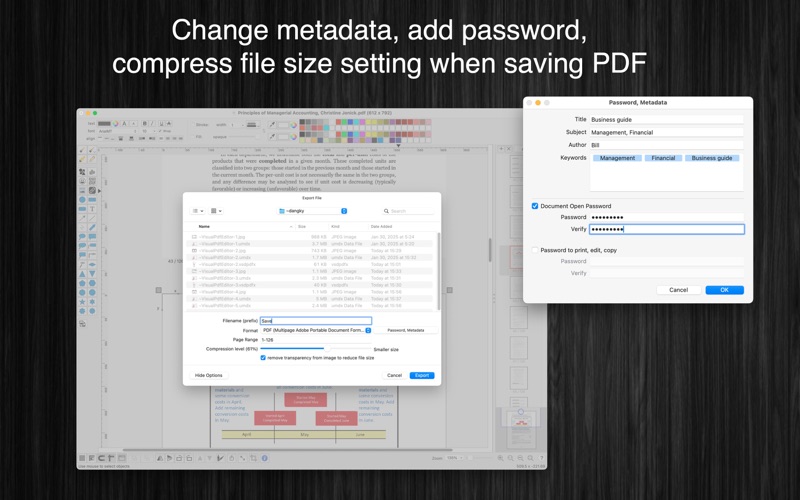
+ SUPPORT PDF (Vector) formats: import/export all vector information from/to pdf file (Adobe Reader format)
+ COMPRESS IMAGES: Compress all images inside PDF file to reduce file size
+ IMPORT/EXPORT VSDX, VSDM, VSD, VSS formats
+ IMPORT/EXPORT many other formats: SVG (vector), png, jpeg, tiff...
+ MULTI-PAGES: user could edit document in multi-pages layout
+ SMART LINE / CONNECTOR:
Smart Line if attached to a shape will automatically change position every time when the main shape is moved, resized.
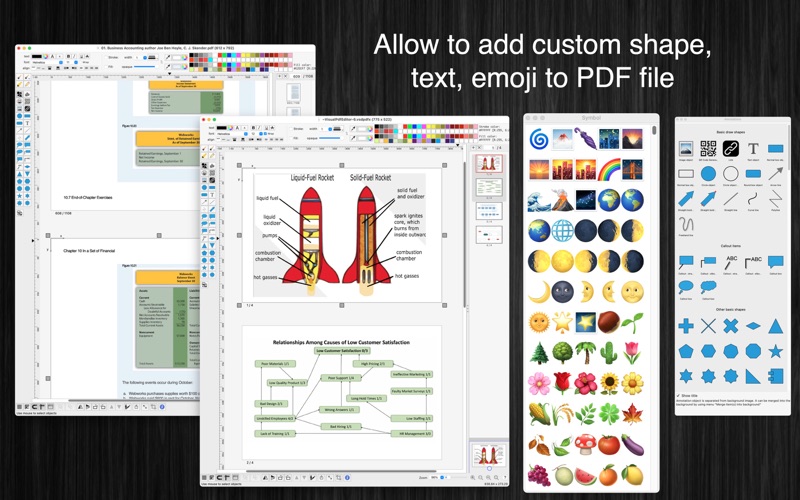
+ BASIC SHAPE:
There are many shapes to add to your diagram. You could add/change text to display inside the shape.
Drawing UML activity diagram will be easier using these shapes.
+ ALIGN MULTIPLE ITEMS:
Select many items then do right-click mouse to select alignment options as following:
(also allow to auto-align with another objects)
- Left
- Right
- Top
- Bottom
- Center (Horizontal or Vertical)
- Distribute
- Horizontal center in View
- Vertical center in View
+ EXPORT TO VECTOR/IMAGE FILE:
Press "Cmd + E" to export current diagram to an image file with format of PDF, VSDX, SVG, PDF, TIFF or PNG or JPEG.
+ SUPPORT PRINT:
Press "Cmd + P" to print current document.
+ CAPTURE TO CLIPBOARD:
Press "Cmd + 4" or click on Capture button to export current diagram image to clipboard, then you could paste that image to another application.
Example: Open [Preview] application, press "Cmd + N" to paste above captured image to view or to save to an image file.
Of course, you could paste that image to Excel, Word application too.
-----------------
Other functions:
- Unlimited Undo/Redo (shortcut key: Cmd-Z / Shift-Cmd-Z)
- Copy / Paste (shortcut key: Cmd-C / Cmd-V)
- Duplicate select items (shortcut key: Cmd-D)
- Group / Ungroup Items (shortcut key: Cmd-G / Shift-Cmd-G)
- Lock/Unlock items position (shortcut key: Cmd-L / Shift-Cmd-L)
- Rotate left, rotate right (shortcut key: Cmd-J / Cmd-K)
- Short cut key CMD+B, CMD+I to change text to Bold or Italic
- User could drag right mouse on a current shape to create a new attached object with line
- Scale size of select items
- Flip select items
- Shadow supported
- Snap to Grid
- Auto Align with another object when resize or move
- Change display order
- Print supported (shortcut key: Cmd-P)
- Customizable color / Font / Size / Line Type

Visual PDF Editor Kommentarer 2026
| Appens Navn | Visual PDF Editor |
| Kategori | Grafikk og design |
| Utvikler | Tien Thinh Vu |
| Publisert | 24 September 2020, Thursday |
| Oppdatert | 11 March 2025, Tuesday |
| Filstørrelse | 51.08 MB |
😍 Elsker du appen Visual PDF Editor? Del med vennene dine!


Visual PDF Editor 2.3 Tips, Triks, Jukser og Regler
Vennligst vent! Visual PDF Editor app kommentarer laster inn...
Visual PDF Editor 2.3 App Skjermbilder og Bilder
Visual PDF Editor (versjon 2.3) Installasjon og Nedlasting
| Språk | Norsk |
| Pris | Gratis |
| Voksenvurdering | 4+ år og eldre |
| Siste Versjon | 2.3 |
| Play Store | com.vutienthinh.macos.EditorX.PdfVisioSvg2020 |
| Kompatibilitet | IOS 11.0 eller nyere |